FDIC-Insured – Backed by the full faith and credit of the U.S. Government
At a Glance: Chesapeake Bank’s cash management tools include business online banking, free online bill pay, ACH and EDI payments, domestic and international wires, Remote Deposit Capture, Lockbox, and payroll services. Positive Pay screens both check and ACH activity for fraud, and CheckSync feeds issued checks into it automatically from QuickBooks Online or Xero.
Improved cash flow for the win
Your business requires your attention, we’re here to help you manage your money on time, and wherever you need to. We’ve got you covered with the digital services you need and the peace of mind that comes with having someone ready to help you when you need it, whether it’s figuring out what services will help you out, or you just want a chat.
Treasury Management Tools for Businesses
Chesapeake Bank offers multiple cash management services. Most businesses start with online banking and bill pay, add Positive Pay once they are writing checks in volume, and layer on Remote Deposit Capture or Lockbox as the number of incoming payments grows.
| Tool | What It Does | Best Suited For |
|---|---|---|
| Business Online Banking | Transactions, transfers, user management and reporting | Every business account |
| Online Bill Pay | One-time or recurring vendor payments | Paying vendors without writing checks |
| Positive Pay | Screens checks and ACH against what you authorized | Any business exposed to check or ACH fraud |
| CheckSync | Feeds issued checks into Positive Pay from QuickBooks Online or Xero | QuickBooks Online or Xero users |
| ACH Services | Scheduled vendor and employee payments, including EDI | Recurring payroll and vendor runs |
| Wires | Domestic and international, from online banking | High-value or time-sensitive payments |
| Credit Sweep | Pays down your line of credit automatically as cash becomes available | Businesses carrying a line of credit alongside idle cash |
| Zero Balance Account (ZBA) | Moves funds between linked accounts to keep cash in one place | Businesses moving money between accounts by hand |
| Remote Deposit Capture | Scan checks at your own desk | Businesses receiving checks in volume |
| Lockbox | We collect and deposit checks from a dedicated PO Box | High volumes of mailed customer payments |
| Payroll Services | Direct deposit with employee self-service | Businesses running payroll in-house |
Not sure which combination fits? A Business Relationship Officer can look at how money currently moves through your business and recommend a starting point.
Business Online Banking gives you convenient access to manage transactions, users, and account activity wherever you do business.
Fit banking into your schedule, anytime, anywhere. Your digital debit card lives here, transaction history downloads straight into your accounting software, and everything* works the same on the mobile app.
*Check deposit is mobile only
Get the ChesBank Mobile app.


Online Bill Pay
Online Bill Pay lets Chesapeake Bank business checking customers make one-time or recurring vendor payments for free through online banking.
Stuck with a vendor who can’t accept an electronic payment? Happens. Forget about stamps and envelopes — we’ll put the check in the mail.
Positive Pay
Positive Pay helps protect your business from check and ACH fraud by screening activity against transactions you’ve authorized.
Fraud is a fact of life. Positive Pay stops it at the door — both ACH and check — before it reaches your account.
Use it your way:
- If you never write a check, make sure you protect yourself by making sure any check is flagged when it attempts to come through.
- Set ACH thresholds so that your bills can go through without you having to think about it, and prevent surprises
- Manually approve every transaction that is paid from your account (other banks call this “Reverse Positive Pay” and charge you extra)
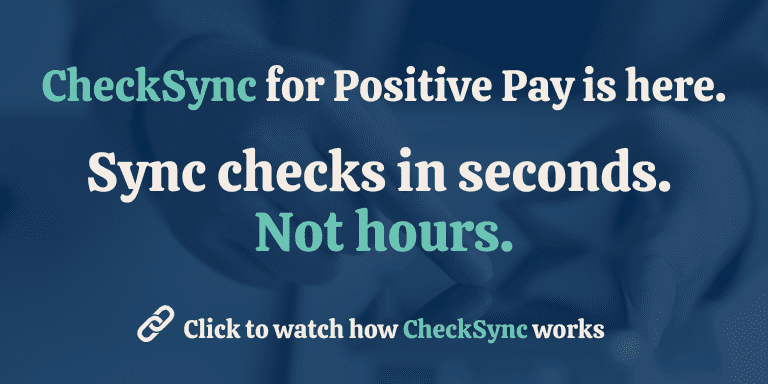
CheckSync automatically sends issued checks from QuickBooks Online or Xero to Positive Pay, helping eliminate manual check entry.
Connect them once and the checks you issue populate in Positive Pay automatically, so you are not entering them a second time by hand.
- Connect your accounting software — QuickBooks Online or Xero — to Chesapeake Bank online banking.
- Issue checks as normal. Each one populates in Positive Pay without any extra step.
- Review only the exceptions. Positive Pay flags anything presented that does not match what you issued, and holds it for your decision.
- Save time
- Reduce risk
- Easy setup
ACH Services
ACH Services let your business send electronic payments to vendors and employees, including scheduled and future-dated payments. Paying electronically isn’t just about going green. It also means making payments without putting your account number in a mailbox.
Vendors asking for EDI payments? We’ve simplified the addenda setup so payments go out correctly the first time. Call 877-695-8239 or drop by your local branch.
Credit Sweep (Sweep)
Sweep automatically uses available cash to pay down your business line of credit.
That means less time manually moving money and putting available cash to work where it can help your business.
Zero Balance Account (ZBA)
Automatically transfer funds from between linked account, simplifying account management and ensuring any excess cash is earning the most it can.
Instead of moving money between accounts by hand, your accounts can do more of the work for you.
Monthly fees apply.
Wires
Sometimes your business requires a wire. Send domestic or international straight from online banking, with all the safeguards you’d ask for. Sending several a day? Ask us how to do it all on one screen.
Remote Deposit Capture
Remote Deposit Capture lets your business scan and deposit checks from your office without making a trip to the bank.
Payroll Services help businesses simplify payday with direct deposit and employee self-service capabilities.
Make payday easier for your business and your team.
For questions about Payroll services, please reach out to your local business relationship officer or call 877-695-8239.
Let's Talk About Your Business
We’d love to hear from you. Please fill out the form below and we will be in touch.
FAQs - Frequently Asked Questions
Q: What is the difference between CheckSync and Positive Pay?
A: Positive Pay is the fraud service: it matches checks and ACH debits presented against your account to what you authorized. CheckSync is the integration that feeds your issued checks into Positive Pay automatically from QuickBooks Online or Xero, so you skip manual entry.
Q: How does Remote Deposit Capture speed up business deposits?
A: Remote Deposit Capture lets a business scan checks from its own desk instead of driving them to a branch. Deposits are made on site, and the service includes reporting so you can see what has been deposited.
Q: Is business online bill pay free at Chesapeake Bank?
A: Yes. Online Bill Pay is free for all Chesapeake Bank business checking account holders. You can set up one-time or recurring vendor payments, and the bank mails the physical check when a vendor cannot accept an electronic payment.